A guide to what we announced at WWDC25.

-
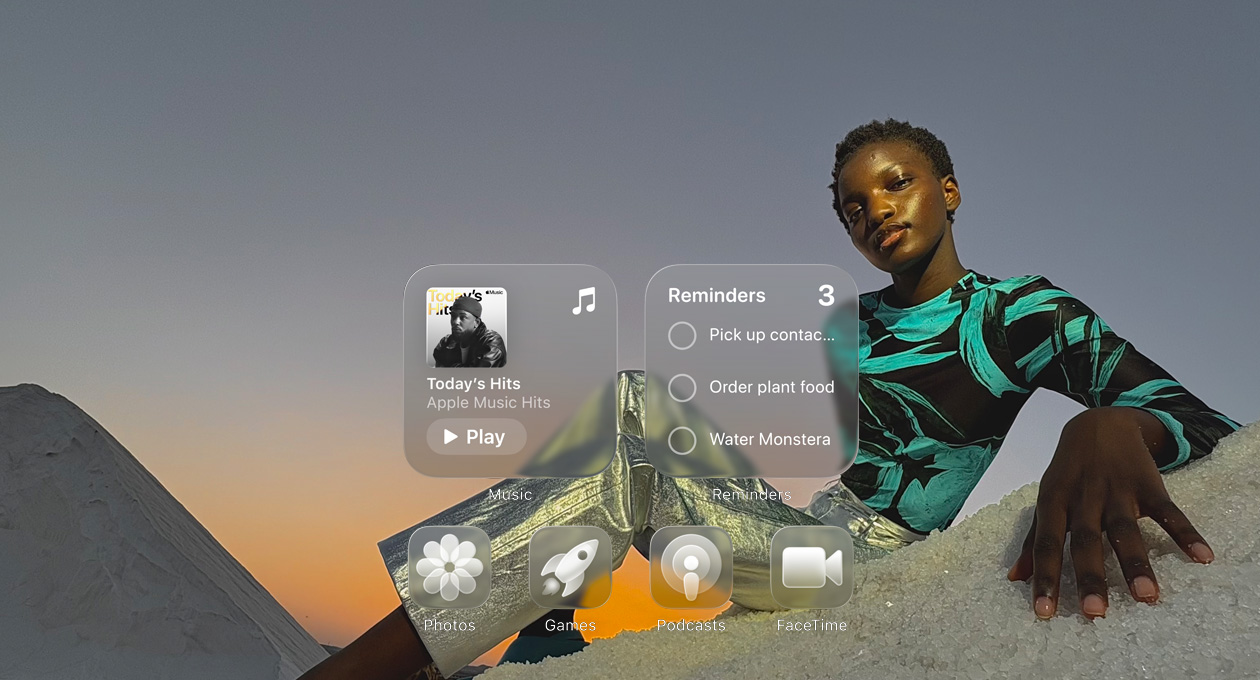
A new design with Liquid?Glass delivers a delightful experience across?devices.
-
Visual intelligence now lets you search, ask questions and take action with the content on your iPhone?screen.1


-
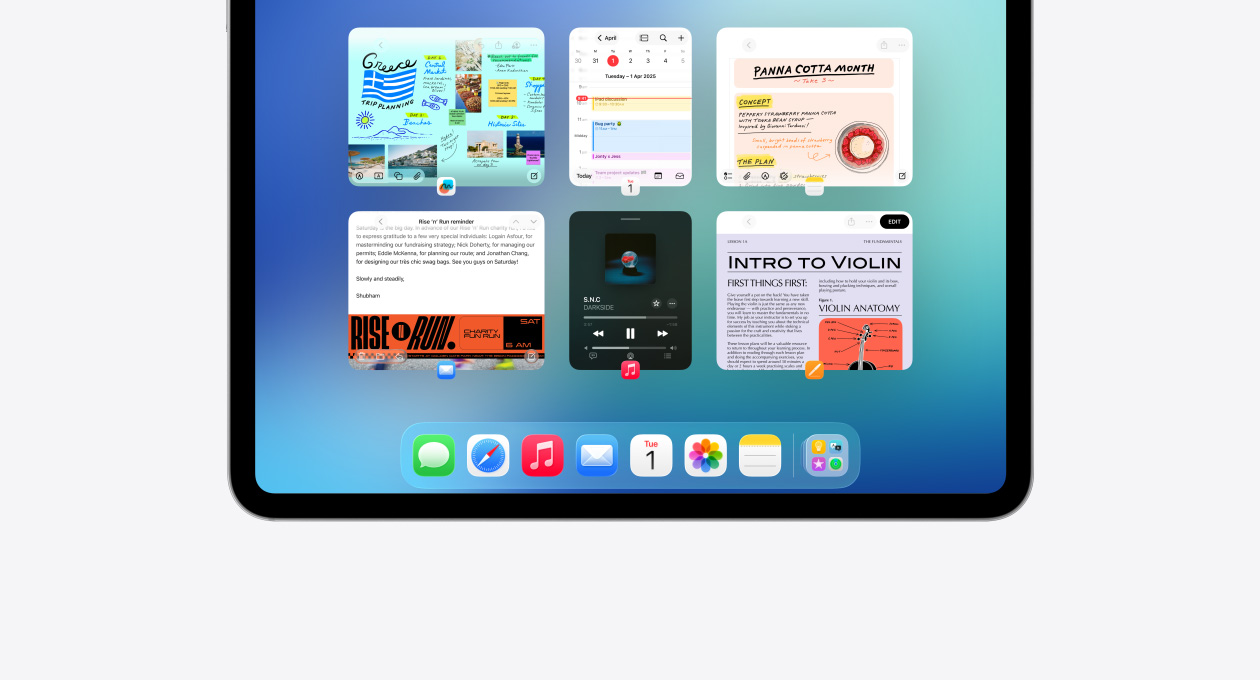
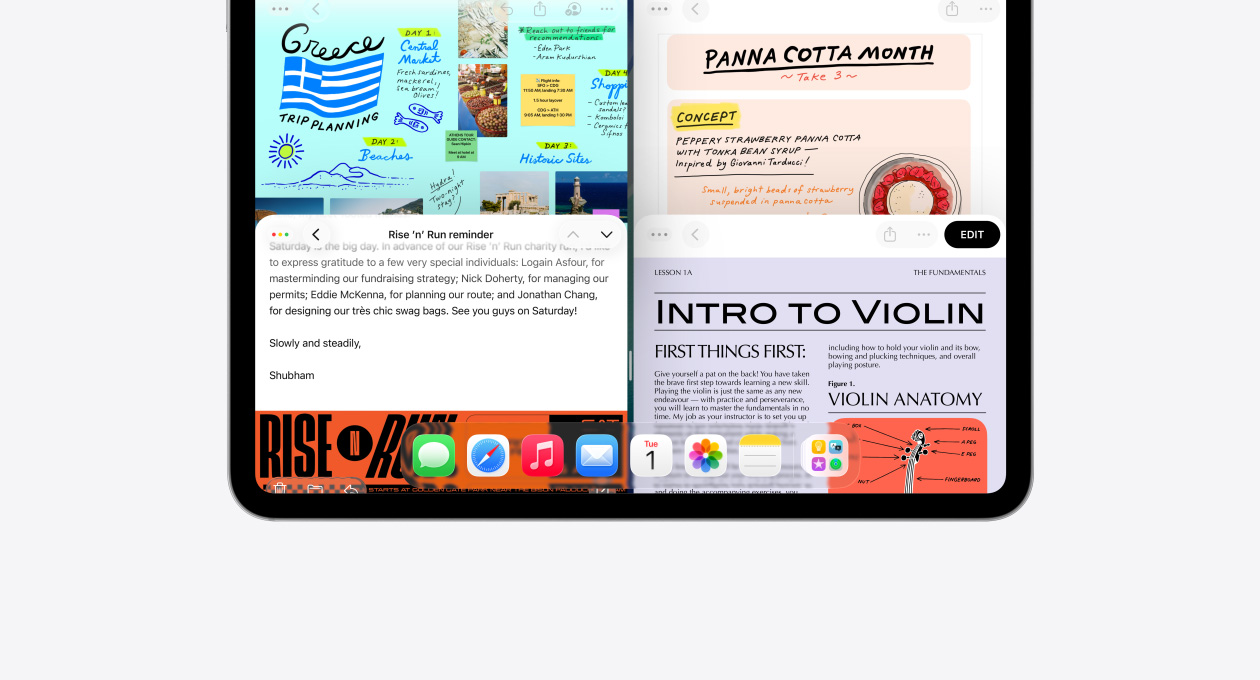
A new, intuitive windowing system for iPad gives you more power and?flexibility.
-
Workout?Buddy for Apple?Watch delivers personalised, audible motivation using your fitness?history.4

-
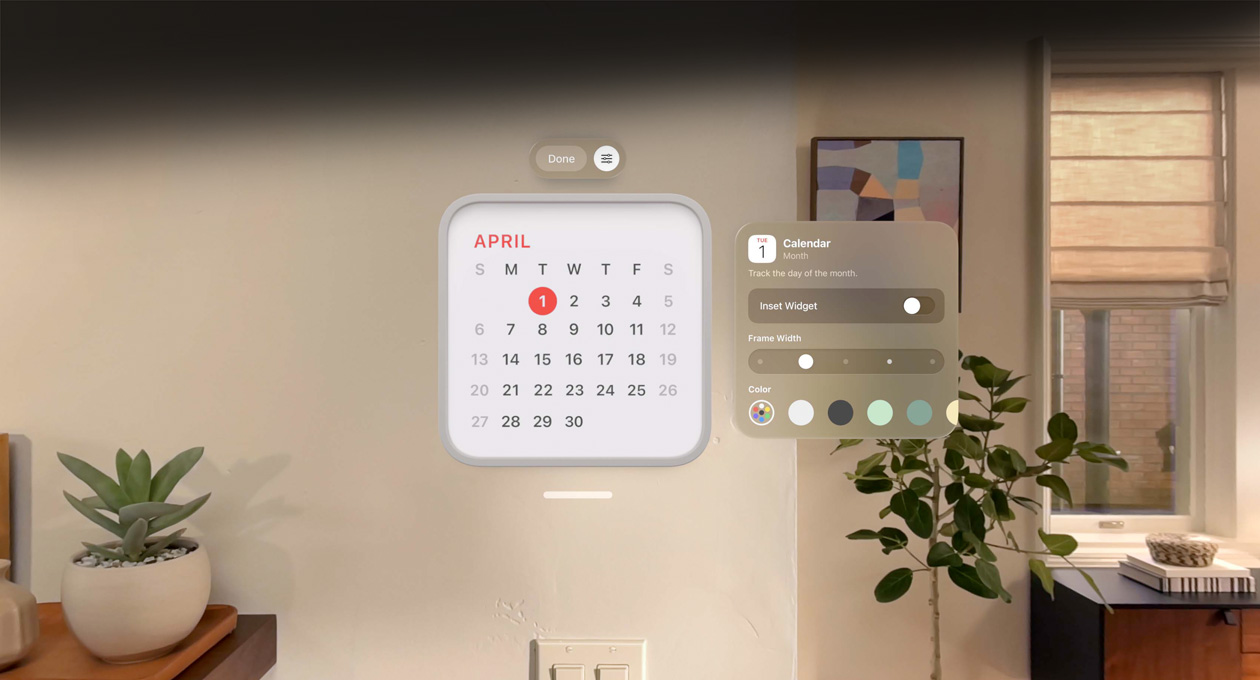
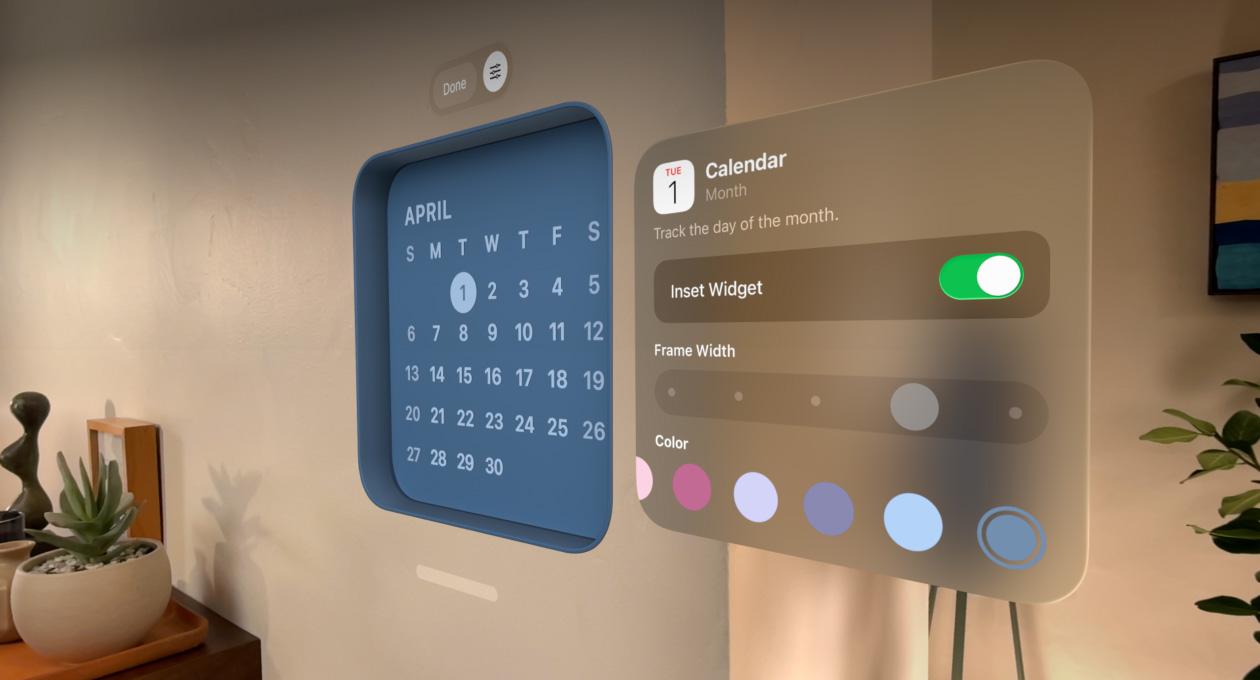
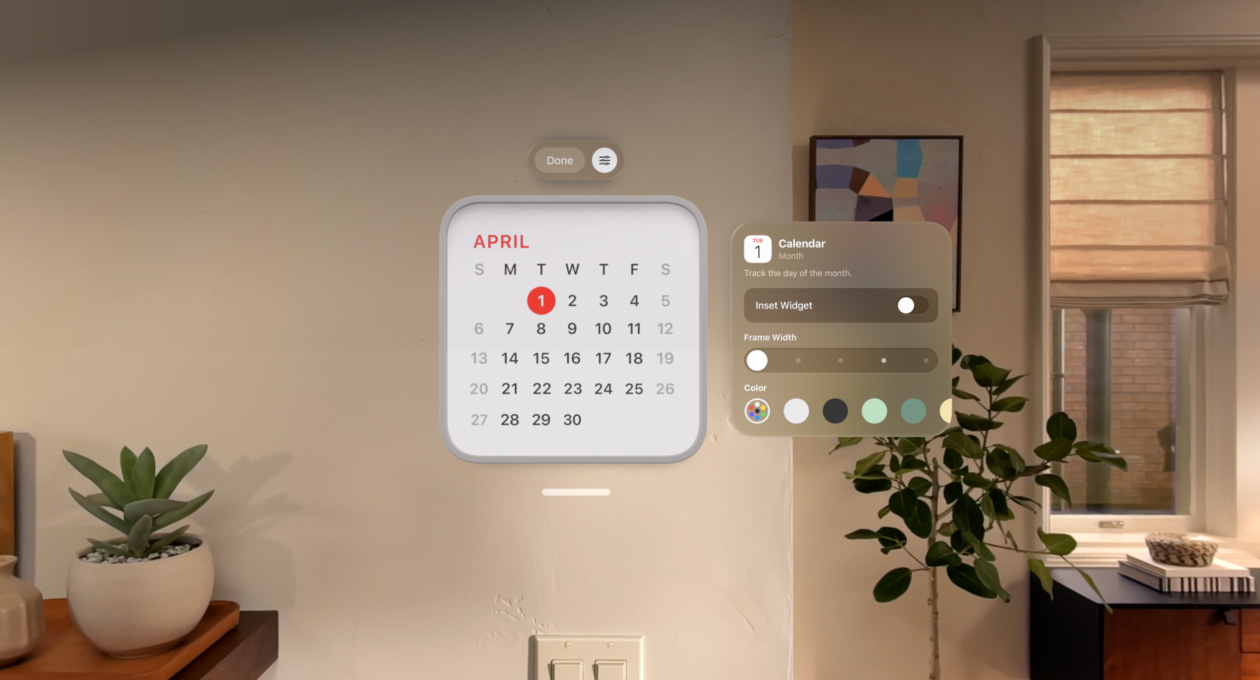
With Apple?Vision?Pro, widgets for go-to apps and info stay put in your?space.


-
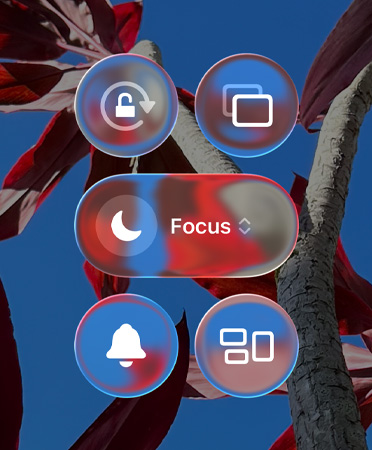
A delightful new design.
Liquid?Glass reflects and refracts what’s beneath it in real time, dynamically adapting to your content across apps and?devices.
Available on: iPhone, iPad, Mac, Apple?Watch, Apple?TV?4K5
-
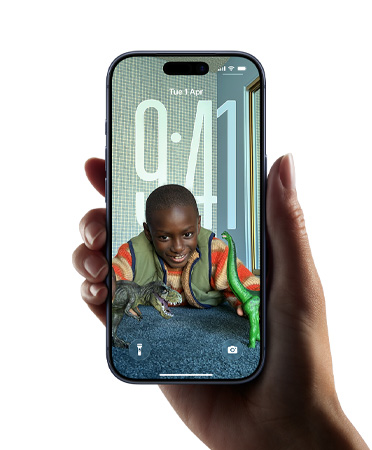
A more vibrant Lock?Screen.
The time transforms based on your photo wallpaper and notifications, keeping your subject in view. When you move your device, your photo comes to life with a new 3D?effect.6
Available on: iPhone, iPad
-
Updated app icons.
Personalise your Home?Screen or Dock with updated light or dark appearances, new colour-tinted icons or a stunning clear look.

Available on: iPhone, iPad, Mac
-
Dynamic controls.
Across apps, Liquid?Glass controls reflect and refract their surroundings and fluidly morph to bring more focus to your?content.
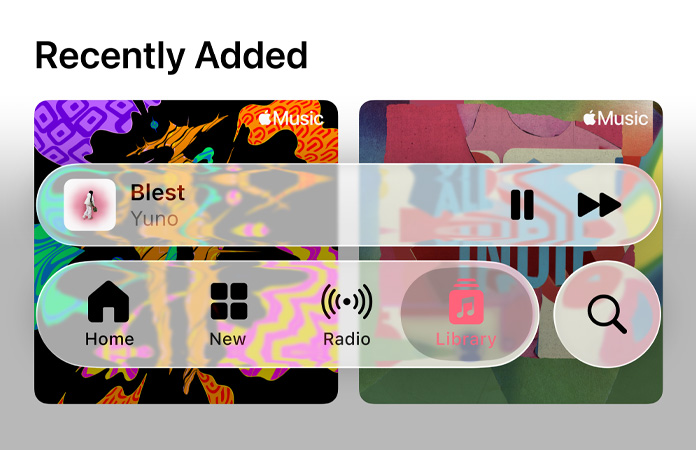
Available on: iPhone, iPad, Mac, Apple?Watch
-
Everyday apps, elevated.
From Camera and Photos to Safari and FaceTime, your go-to apps feel fresh and?expressive. And moving across apps and devices feels more harmonious than?ever.
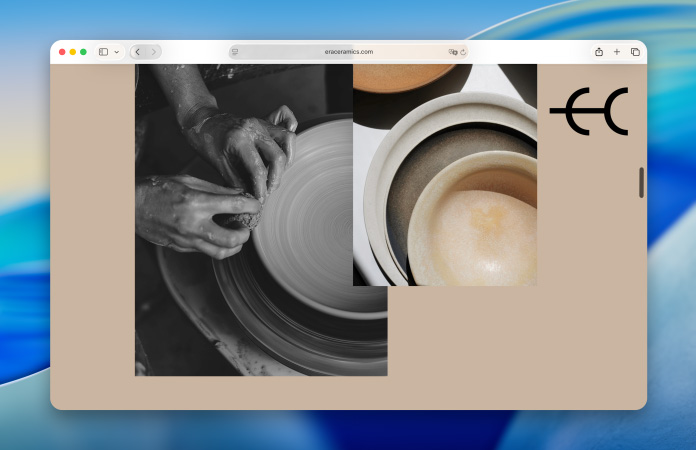
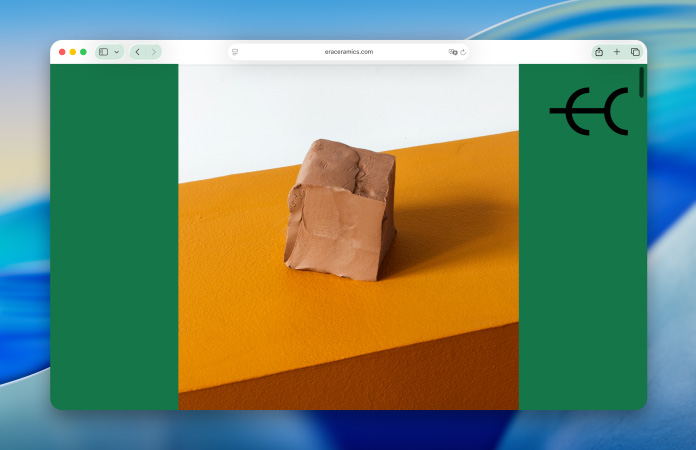
Available on: iPhone, iPad, Mac, Apple?Watch, Apple?TV?4K
-
Live Translation.
Automatically translate texts in Messages2, display live translated captions in FaceTime, and get spoken translations for calls in the Phone?app.3

Available on: iPhone, iPad, Mac, Apple?Watch
-
Use Live Translation with AirPods.
When the person you’re speaking with responds in a different language, their words are automatically translated and spoken out loud in a natural voice.8

Available on: iPhone
-
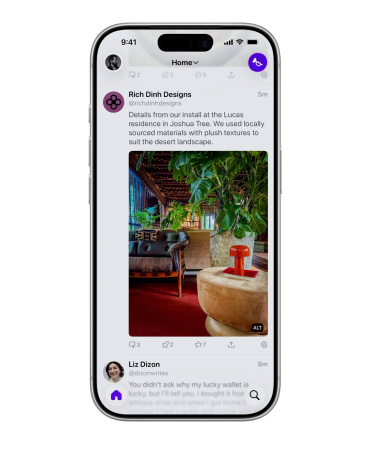
Do more with visual intelligence.
It builds on Apple?Intelligence, so you can search across your most used apps, add an event to your calendar and ask questions — letting you do more with what’s on your?screen.
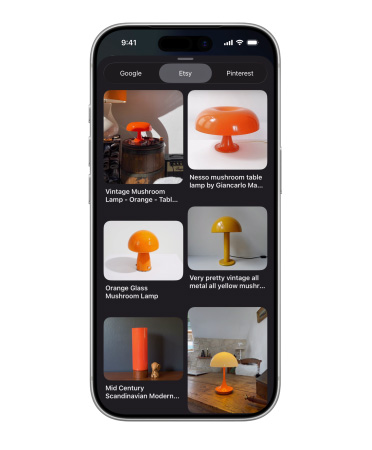
Available on: iPhone
-
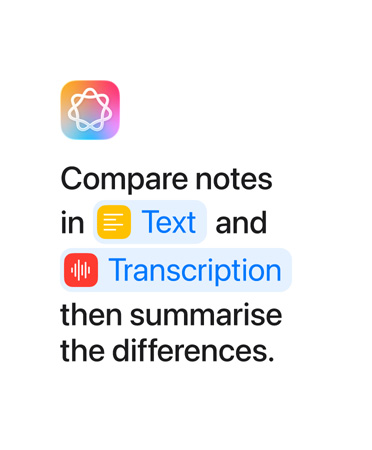
Accelerate your workflows.
Intelligent actions in Shortcuts can summarise text, create images or tap directly into Apple?Intelligence models to provide responses that feed into your?shortcut.
Available on: iPhone, iPad, Mac
-
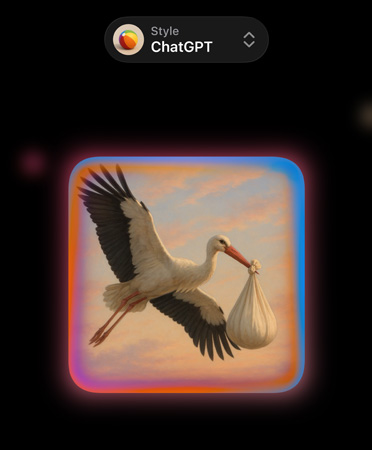
More ways to express yourself with images.
Mix emoji and descriptions to make something brand new. In Image?Playground, discover additional ChatGPT styles. And have even more control when making images inspired by family and friends using Genmoji and Image?Playground.
Available on: iPhone, iPad, Mac
-
Go the extra mile with Workout?Buddy.
A brand-new text-to-speech model generates personalised pep talks using voice data from an Apple?Fitness+ trainer, so it has the right energy, style and tone for a workout. Time to buddy?up.4

Available on: Apple?Watch

-
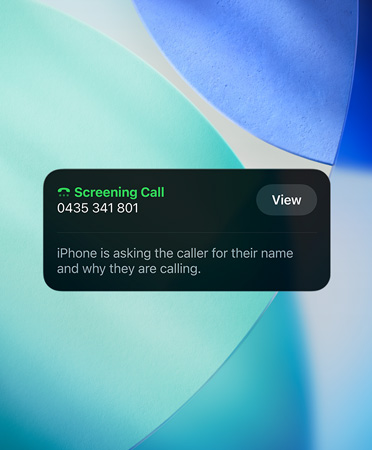
Manage unwanted calls.
Call?Screening automatically answers unknown callers without interrupting you. Once the caller shares their name and the reason for their call, your phone rings and you can decide if you want to pick?up.9
Available on: iPhone, iPad, Mac, Apple?Watch
-
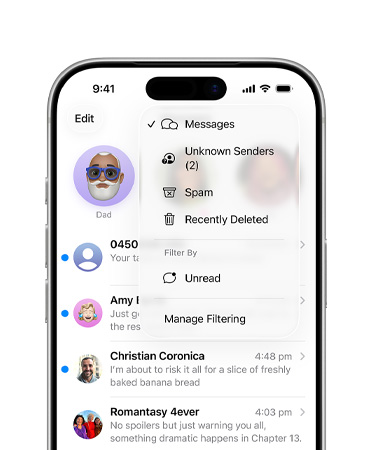
Screen new senders.
Approve unknown numbers with new screening tools that detect spam and give you control over who appears in your conversations in Messages and your recent calls in Phone and?FaceTime.
Available on: iPhone, iPad, Mac, Apple?Watch
-
Let the Phone app wait on hold for you.
Hold?Assist keeps your spot in line while you wait?for a?live agent and notifies you when they’re?ready.10

Available on: iPhone, iPad, Mac, Apple?Watch
-
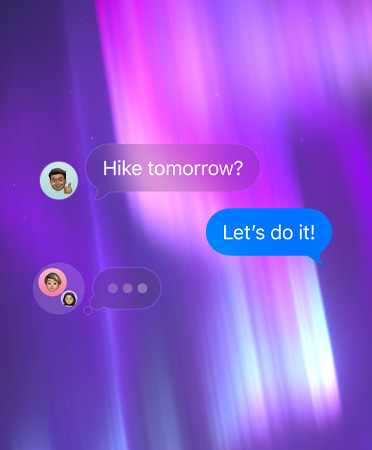
Add a background to any conversation.
Select from stunning built-in options or choose any of your own photos to bring a distinct personality to your Messages conversations.
Available on: iPhone, iPad, Mac, Apple?Watch, Apple?Vision?Pro
-
Polls in Messages.
Create a poll to help the group chat decide. Everyone in the conversation can contribute options and watch as votes come in.

Available on: iPhone, iPad, Mac, Apple?Watch, Apple?Vision?Pro
-
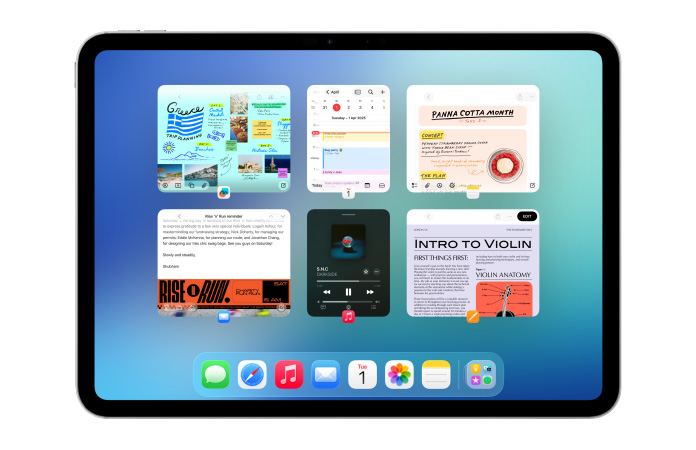
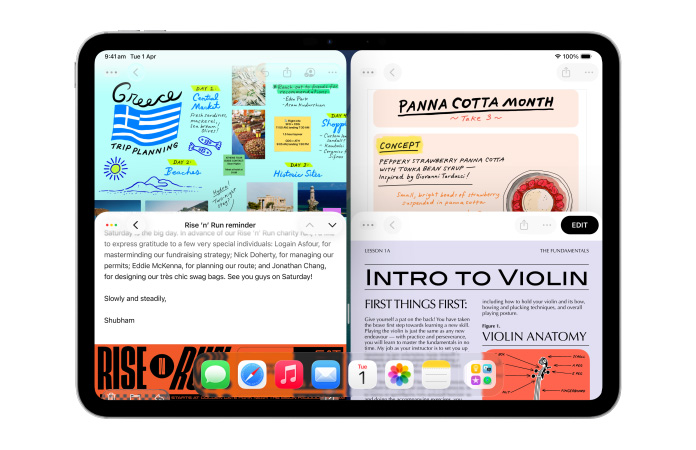
More powerful windowing.
Open more windows at once, and resize and organise them your?way.
Available on: iPad
-
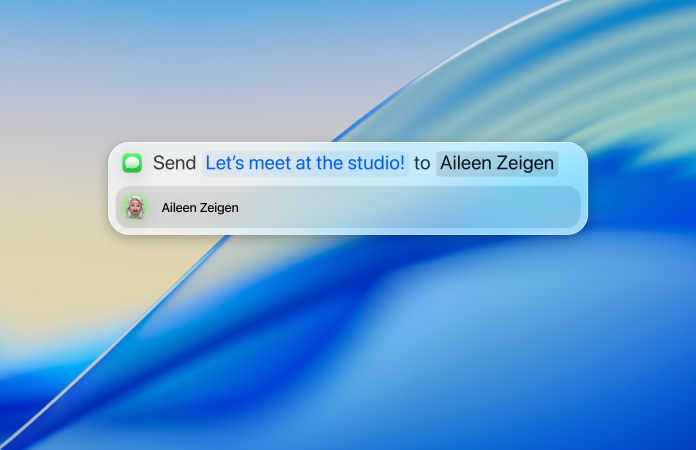
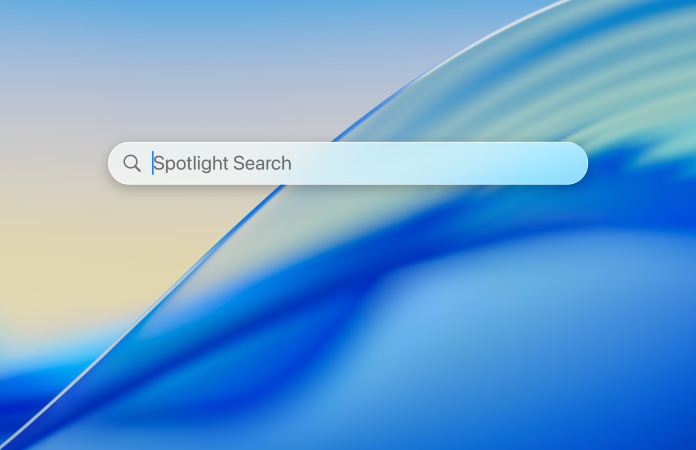
Biggest Spotlight update ever.
In addition to new ways to browse your content, Spotlight lets you take hundreds of actions without lifting your hands off the keyboard. And new quick keys help you perform actions even?faster.
Available on: Mac
-
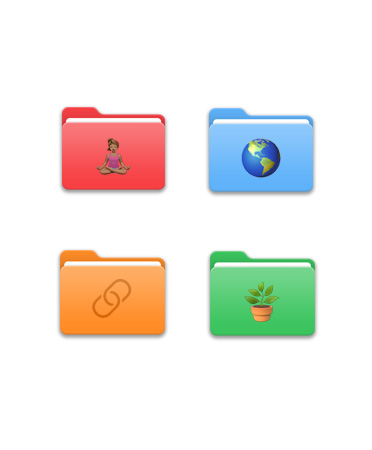
A supercharged Files app.
Find what you’re looking for faster with new folder colours and customisation options. An updated list view gives you resizable columns and collapsible folders. And you can set the default app for opening specific file?types.
Available on: iPhone, iPad
-
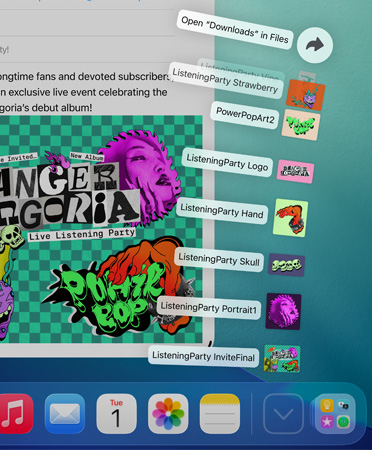
Folders in the Dock.
Access your downloads, documents and more in folders in the Dock, now on?iPad.
Available on: iPad
-
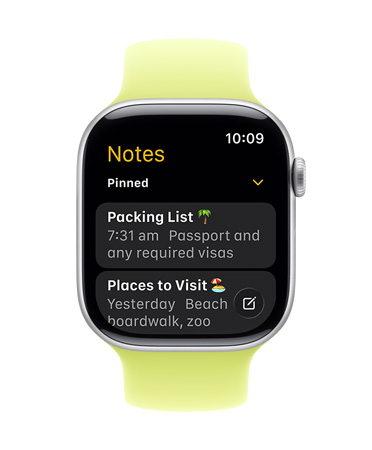
Notes comes to Apple?Watch.
Create new notes or view existing ones right there on your wrist in the Notes app. You can even tell Siri to start a new note when you’re on the?go.
Available on: Apple Watch
-
CarPlay redesigned with Liquid?Glass.
React with a Tapback in Messages, follow Live?Activities and get more information at a glance, so you can stay connected and focused while you?drive.11

Available on: iPhone
-
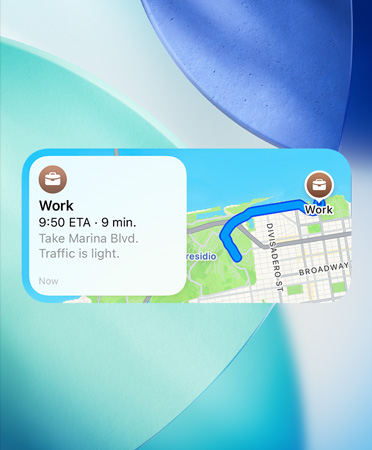
Maps understands your preferred routes.
Maps learns the routes you travel regularly and can alert you about significant delays, even before you head out. If your routine changes, iPhone adapts to it so you can conquer your?commute.
Available on: iPhone
-
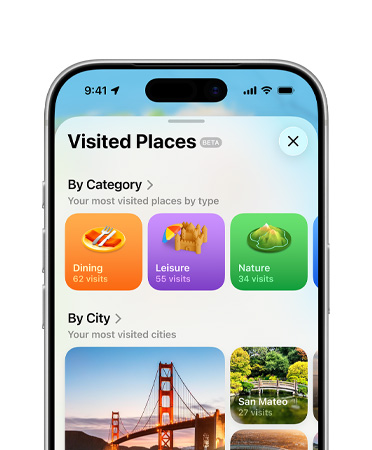
Visited Places in Maps.
Never forget a place with the option to remember where you’ve been with Visited?Places. Quickly find that great café from a trip and share it with a?tap.12
Available on: iPhone
-
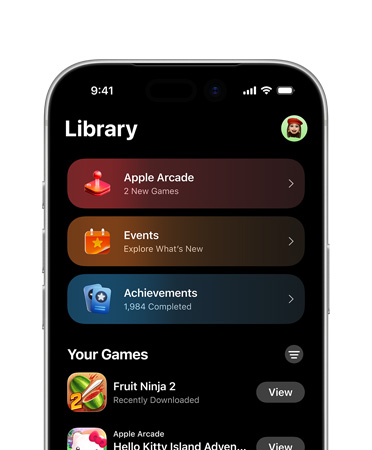
New Games app.
Stay up to date with what’s happening across all your games, discover new ones your friends are playing, get tailored recommendations and compete with friends in score-based?showdowns.
Available on: iPhone, iPad, Mac
-
Spatial scenes for visionOS.
Spatial?scenes transform images and viewing experiences, giving them lifelike depth. You can view them in Photos, Safari and Spatial?Gallery — and third-party developers can incorporate them?too.

Available on: Apple?Vision?Pro
-
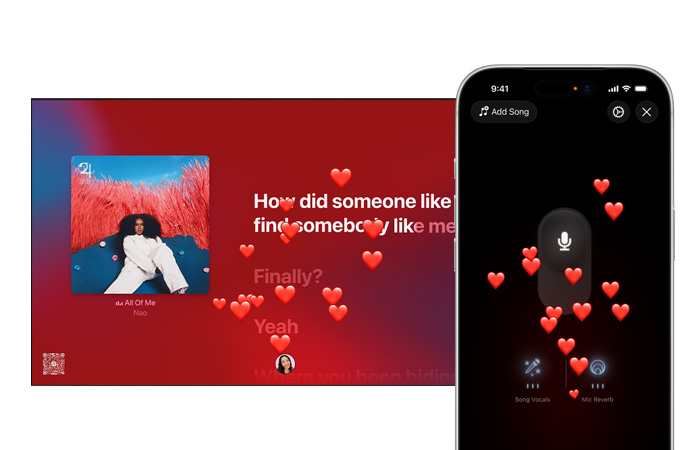
Refreshed Apple?TV app and Apple?Music?Sing.13
A refreshed design makes content more immersive. Your iPhone becomes the mic with Sing on Apple?Music. And with so much content to love, profiles appear when Apple?TV wakes from sleep, so you can quickly jump to your favourite shows, sports and?music.
Available on: Apple?TV?4K
-
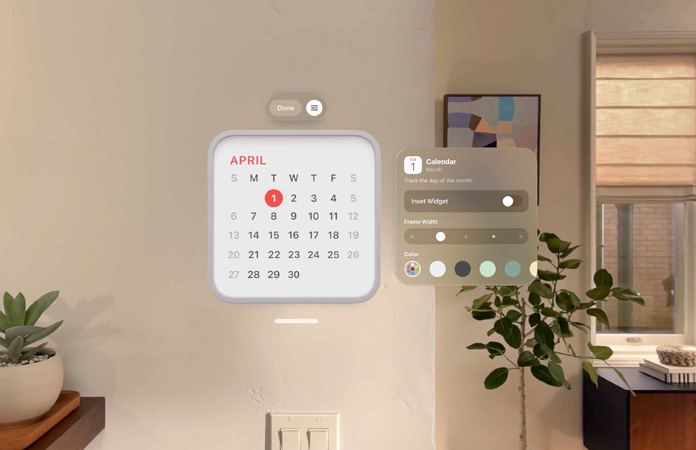
Widgets for visionOS.
Keep your favourite widgets — like Photos, Clock, Music and Calendar — just a glance away. Customise their frame thickness, colour and depth so your space is arranged the way you like it, every time you put on Apple?Vision?Pro.
Available on: Apple?Vision?Pro
-
Spatial web for visionOS.
Spatial browsing, 3D models and more bring all-new ways to experience the?web.



Available on: Apple?Vision?Pro
-
Share experiences nearby.
Now you can share Apple?Vision?Pro experiences with people in the same room — like watching the latest movie or playing spatial games?together.14

Available on: Apple?Vision?Pro
-
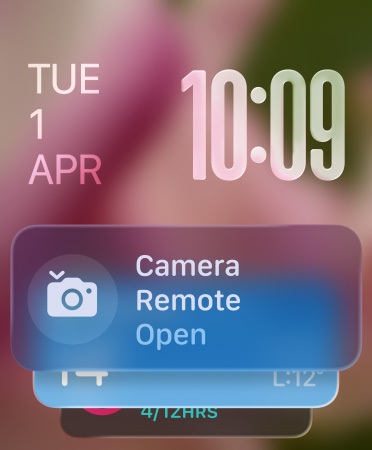
Smart?Stack hints.
With improved prediction algorithms that fuse on-device data and trends from your daily routine, the Smart?Stack now delivers a gentle prompt when it has a suggestion that’s immediately useful for you.

Available on: Apple?Watch
-
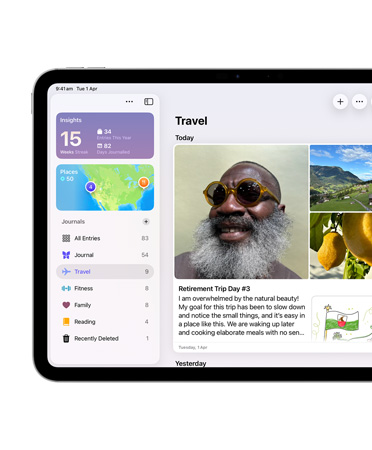
Journal on more devices.
Jot down thoughts, illustrate and create entries in your own handwriting, using iPad and Apple?Pencil. Easily type long, detailed entries on Mac. And create multiple journals for different aspects of your?life.
Available on: iPad, Mac
-
Preview comes to iPad and iPhone.
Open, edit and mark up PDFs and images with this easy-to-use app, designed to work great with Apple?Pencil.15
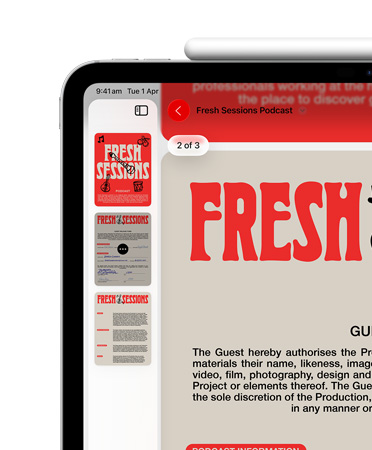
Available on: iPad, iPhone